Jun 20, 2012

Filemaker’s Bento 4 for iPad is da bomb

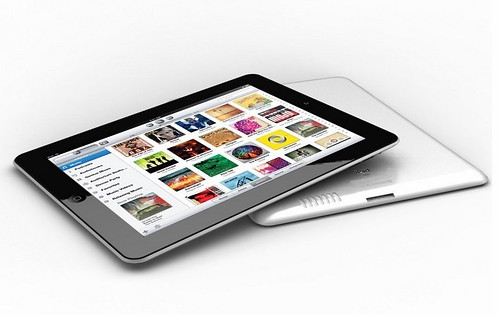
Filemaker has previously pitched Bento — whether for Macintosh, iPhone or iPad — as personal information manager aimed at students and home users. It was a database utility for dealing with lists and simple, flat spreadsheet data. However, the capability, usability and functionality inBento 4 for iPad is now so greatly expanded, that the company is pitching it to small business owners, knowledge workers, freelancers, contractors and consultants.

Users of the Mac version of Bento will be familiar with Bento 4 for iPad. Previously, Bento for iPad offered a frustratingly limited list-style view of Library data. It was a very stripped-down version of the Mac program. Its usefulness was still great, but with the increasing power of the iPad and especially its larger screen, the iPad software was more than a bit of a letdown. No longer.

Now there are four views of data: a Form View similar in functionality to the Mac version, the Table View that is really a spreadsheet view, the Split View that combines the spreadsheet and the form, and the Full Screen View that shows a sidebar of Libraries, similar to the Mac version. In addition to the usual data types, the app supports many different data elements including multimedia files, predetermined choices, GPS locations, ratings (stars) and many more.

Bento 4 for iPad supports the creation of new databases as well as the customization of forms and projects. It’s easy to add fields, reorder and sort lists, and add calculation formulas. Many commands take advantage of the iPad’s tap interface and users can click on a field or a header and then be presented with the iPad-standard GUI element for popup commands — Filemaker calls these Heads Up Displays. So, if you click on a column header, it will show a bar of commands such as sort, rename, delete or hide.

he new business audience will definitely appreciate that Version 4 can create encrypted fields. Windows users can easily share libraries by emailing them in .CSV format from within Bento (Mac users can use this function too, but I suggest getting Bento for Mac instead).

However, I don’t know that I’m sold on the Record Slider interface. But it is the iPad way.The app comes with 40 Retina display-ready themes to customize the many built-in project templates. And Filemaker offers easy access to the Bento Template Exchange that sports a wide range of professionally-designed and user-submitted templates.

Of course, Bento 4 for iPad can be synchronized with Bento for Mac (Version 4.1, a free update). The syncing is still over Wifi.Bento 4 for iPad is priced at $4.99 until July 31, the company said and $9.99 afterwards. There’s a $29.99 deal on for Bento 4.1 for Mac also until July 31, a $20 discount.


This article comes from:http://www.zdnet.com/blog/apple/filemakers-bento-4-for-ipad-is-da-bomb/13144

Jun 19, 2012

Belton High School to launch iPad initiative

BELTON - At its regular meeting on Monday, June 18, the Belton ISD Board of Trustees approved a plan to increase students' access to technology learning tools at Belton High School. The Board authorized the purchase of iPads for every student at Belton High School for the upcoming school year. This one-to-one iPad initiative has been in the planning stages for several months and is based on the success of other iPad projects throughout the District, particularly at South Belton Middle School where students successfully used the devices for learning this past school year.

Funding for the purchase of the devices will come from money allocated from the State to the District for the purchase of instructional materials such as textbooks. However, those funds may now be used to purchase technology hardware and software. Superintendent Dr. Susan Kincannon, "As the delivery of information has changed over the last 10 years outside the school—from print to digital—schools now need the flexibility to deliver content digitally as well. The ability to use textbook funds for the purchase of an iPad for every student will allow us to make that transition. Our students must have strong skills using technology upon graduation to be successful in college and careers."

According to Superintendent Dr. Susan Kincannon, "Infrastructure improvements at Belton High School are complete, and the campus is ready to handle the bandwidth that will be required for this project." Belton High School teachers received their iPads this spring, and professional development is planned during the summer to assist them in developing lessons using the devices.

Ed Braeuer, Assistant Superintendent for Curriculum and Instruction, said, "Our vision for the use of technology in BISD is a fundamental change in instruction. Technology remains a tool, but it is a powerful tool to change students from passive learners to active learners, and teachers from presenters to facilitators of learning." Kathy Cook, Belton High School Principal, continued, "I am so proud that I am able to be in a district whose leaders and school board are so forward thinking. This one-to-one iPad initiative will allow our teachers at Belton High School to design extraordinary instruction for our students. We have done our homework preparing for this project. In addition to what we learned from our colleagues at South Belton Middle School, we have visited other high schools with one-to-one iPad initiatives, and I believe we will be ready to effectively use the iPads for quality instruction."

Teachers and students alike are excited about the prospects: Joe Savoldi, physics teacher, "It's opening a world of examples and demonstrations for our classes. I'm hoping to set up homework assignments online and cut down on paper costs. This will move our students into the 21st Century. Belton High School junior, Scott Jackson: "One great advantage will be having textbooks on the iPad so we will have our books with us at all times."

Belton High School will host a series of informational meetings for parents prior to distribution of the iPads during the early part of the school year this fall.


This aticle comes from:http://www.kxxv.com/story/18822647/belton-high-school-to-launch-ipad-initiative

Jun 18, 2012

Anyone can use Navy iPhone app

The Navy Operational Fitness and Fueling Series released an iPhone app in April to let sailors and civilians access its library of exercises, workout routines and meal planning.

As of the end of May, the app had been downloaded nearly 5,500 times.Though it hasn’t been out long, feedback from sailors has been overwhelmingly positive, said Lisa Sexauer, program manager for fitness, sports and deployed forces support at Navy Installations Command. It is rated 4.5 out of 5 stars by users in the iTunes App Store.

“They like the food choice features and the fact that there are videos so they can refine their own movement efficiencies,” she said.The videos, like the entire app, can be accessed without cellphone service or an active Internet connection once the almost one-gigabyte app is downloaded to the iPhone. That means that the entire workout is available any time, anywhere, even aboard a ship — because most ships have limited Internet access and no cellphone service while at sea.

“The app is actually housed on the device. When you head to the gym, by selecting your parameters, your entire workout is available to you,” Sexauer said.Parameters include fitness level, duration of exercise, equipment that is available and stage.

The fitness levels relate to both overall health and familiarity with NOFFS exercises; Sexauer suggested that everyone begin with Level 1.Within each level are four stages, labeled A through D. Each level has an increased number of sets and repetitions.

The exercises, which take into account how much room is available for fitness on different kinds of vessels from subs to aircraft carriers, are in line with the Navy’s 21st Century Sailor and Marine wellness initiative, Sexauer said.

One key to the app is ensuring no injury during the exercises. Videos, detailed descriptions and still photos show sailors how to correctly perform each exercise.

This article comes from: http://www.visaliatimesdelta.com/article/20120618/LIFESTYLE/306180007/Anyone-can-use-Navy-iPhone-app

Jun 15, 2012

Meet Moboto: the Talking iPhone Toy


Ever wish your iPhone dock was just a little more interactive? Have we got a Kickstarter project for you: Moboto.Designer Mark Solomon created the device for those of us who fantasized our stuffed toys were alive when we were a child (ie. pretty much everyone). Moboto turns your recharging iPhone into a seemingly life-like companion.

With the Moboto dock and app, an iPhone can take on various personalities to convey information to its user. It can display a blinking eyeball that changes color depending on your device’s battery life. Moboto can also be a flower that shows rain or sunshine in the background to convey the current weather outside in a beautiful way.

Solomon says Moboto is for geeks and non-techies alike.“When you dock your phone it just launches the app and it brings to life the character,” he said. “It’s going to enable you to have a little bit of fun with something that is normally a mundane task. Instead of just having your iPhone by your bedside or in a dock at night, it’s plugged into Moboto and you can see its expressions.”

The personalized dock can visualize the weather, time and battery life. Touch the screen to interact with its characters — by playing with the eyeball, for example, which blinks when it’s poked.“We just take the data that we get on the phone and visualize it in some way,” Solomon added. “It adds some whimsy to your day.”

Moboto is reminiscent of the Android robot with a stout little body. Select which style suits you best from the seven mock-ups that Solomon and his team have created so far: one has a sweater, another has a tie. Some can be personalized.

In the future, Solomon aims to allow users to command Moboto via Twitter. He’s currently experimenting with a hashtag that causes Moboto to sing a song. Tweet #Moboto1, for example, and the device lip-syncs theBeastie Boys‘ “Intergalactic.”

“We’re still figuring out what to do with this,” he said.And it Moboto owners don’t actually want to hear “Intergalactic” in the middle of the night when someone tweets it? No problem. Just be sure you set your alarm, and Moboto will sleep soundly, too. By default, each device is connected to the Moboto Twitter account, but users can disconnect that feature if they want.

This technology might also become really useful to sports fans. Solomon imagines a custom app that would feed a sports fan details via a talk feature. (The main Moboto app itself will be constantly updated.)

Solomon and his small team of designers, software engineers and advisors are based on San Jose. The group’s Kickstarter campaign requests a total of $400,000 to put Moboto into production.So far, they’ve reached nearly $20,000 with 33 days left — so they’ve got plenty of time.

Solomon said the Moboto teams likes to think of themselves “as a hardware company making software. The software is what brings its heart and soul,” he said.

This article comes from:http://mashable.com/2012/06/14/moboto/


Jun 14, 2012

Street Fighter X Tekken Mobile Confirmed For iPhone, iPod Touch & iPad

Street Fighter x Tekken Mobile is headed to iPhone, iPod Touch and iPad this Summer Capcom has announced."Before the PS Vita version arrives later this year, get your on-the-go SFxT fix with Street Fighter X Tekken Mobile, which converts the console game into a wholly new experience on iOS devices.

Think SFIV Volt, but with tag mechanics and a healthy does of juggling," writes Capcom Unity.SFxT Mobile is only compatible with iOS 5 and the following devices: iPhone 4/4S, iPod Touch 4th gen or later, iPad 2 or the latest iPad.

Check out our gallery to see the first screens.Capcom teased the title at E3 last week - hit the link to watch Street Fighter X Tekken Mobile in action.


This article comes from:http://www.nowgamer.com/news/1429794/street_fighter_x_tekken_mobile_confirmed_for_iphone_ipod_touch_ipad.html

Jun 13, 2012

Some useful skills of ibooks

iBooks has update now,I believe that some people have known how to use ibooks,but I want to share some tips of using ibooks with you.

First, use explains:
1. Click on the ibooks, into the main interface, the default is woodiness grain style of bookshelf, the feeling is very great. The top three options, from left to right, which are: editing, books, bookstore.

1). The most simple bookstore can be first said. Click on the bookstore, switch interface to itunes or App Store with buying books interface, readers can buy their favourite books and download (condition is even on WIFI and can have a normal iTunes account).

2.) then is the library option. Click on the book , obviously, the main interface switch to another interface: for selected words above, upper right to complete the option, and the middle is the default two books format category, book (in fact is EPUB format) and PDF, lower left for new, lower right for editing. Click the new, can increase the books format name (such as TXT. But unfortunately at present ibooks only support and PDF formats EPUB, so this function eroded.) Click edit, editor of the new books readers format name (to the default "book" and "PDF" invalid).

When the current format for books, click on the PDF, switch the interface for PDF interface. At this moment the ibooks in advance of the PDF format with books will be display. Similarly, books (EPUB) format books will also display.

3). Edit function is mobile and delete the selected books. Specific operation is: click edit options, and then select to operation of the books icon, the upper "mobile" and "delete" icon to shine. Choose the move, which moves in two books format, is about to change the book format interface to PDF format interface. Choose delete, books from iTouch is removed, and it is the same effect as in the iTunes store deleting .

2. Click on any EPUB books, found in reading interface : six icon is above, which are in turn for library (back to the Lord of the ibooks interface), directory (if books have bring their own directory, can view the directory and can be quickly switch internode chapters), brightness (adjustment screen brightness), font, font size, can be mediation font, font color), search (search books related to find the words, seem to support only English), bookmarks (the current page to save bookmarks, convenient next time reading); Bottom for reading progress bar (composed by several black spots), the bottom for the current page number/digital books total number of pages.

Second, using skills:
1. The  default main interface, sliding down the screen, visible to hide in a virtual bookshelf upper part three of the icon. Icon separately from left to right: rectangular box (there was a magnifying glass icon and the "search", it is the search for books. This function has obvious effect when there are more books,  .) TianZiGe, similar icon (selected, virtual bookshelf, when ibooks go into the default interface), there are three mutually linear icon (selected, the interface appears four kind of arrangement of books, which in turn is way of bookshelf, title, author, categories).

2. Quickly switch between "book" and "PDF"   . When a finger from the left end level into the right end, or from the right side delimit the level to the left, the interface will be in two or more format to quickly switch between categories (premise is the new books format category).

3. With calibre and file format conversion software conversion TXT documents before, are going to shift to the TXT documents to utf-8 encoding form save as new TXT documents, otherwise the converted EPUB file may not be ibooks recognition, that it can not be read or appear in ibooks and may be it will come up misunderstand code.

Jun 12, 2012

Apple's eyes open iPhone distribution: The fallout

Apple has cut prepaid distribution deals with Sprint’s Virgin and Cricket and the initial reaction is to dismiss the moves because few users are going to shell out the cash for an unsubsidized iPhone. On further review, Apple’s prepaid deals are likely just the beginning of a move to a new distribution model.

Distribution 101 dictates that the more units you produce the lower the cost of goods falls. If you assume that Apple cuts more prepaid deals around the world it could harm rivals with just limited success.

This case was made by Barclays Capital analysts on Monday. They were focused on Apple and its impact on carrier subsidies—a bane for wireless players—and what happens if the iPhone follows an open distribution model.


Barclays analyst Ben Reitzes lays out the case:

Our checks indicate that Apple’s deals with prepaid players (Sprint’s Virgin Mobile and Cricket) are likely only the beginning of Apple’s efforts to expand via partnerships into the open distribution and prepaid markets in the US and internationally. The mid-tier smartphone market has been the fastest growing niche of the smartphone market in recent quarters.

The most successful vendors in the mid tier are Samsung, Nokia, Huawei, ZTE, and RIM. Much of the ~225mn unit mid tier smartphone market is at or below $200, and much of the ~1bn unit feature phone market is at or below $75. Even limited share gains (prudent given Apple’s $350-$400 price point) could eat materially into the growth markets for rival vendors. This could add $4.70 to our CY13 Apple EPS estimate of ~$54.

The emphasis from Reitzes boils down to the midtier smartphone market and the total addressable market. For instance, Nokia has had success in the mid-range market as has Huawei. Today, Cricket is offering an iPhone 4 for $400 and an iPhone 4S for $500. Virgin is going with $549 and $649 for the iPhone 4 and 4S, respectively. IF there’s volume on these deals, however, those prices are likely to fall.

Initially, there’s a mental hurdle to clear with this effort. Prepaid subscribers are often subprime credit material. How are these people going to shell out $400 or more for an unsubsidized iPhone? That said, Apple can leverage its brand and make inroads. If you assume all phones will be smartphones, Apple has a huge shot to get some serious volume.

This article comes from:http://www.zdnet.com/blog/btl/apples-eyes-open-iphone-distribution-the-fallout/79737


Related Posts Plugin for WordPress, Blogger...